A Detective Inspector in Oslo catches a couple of cases — the apparent bludgeoning to death of a drug dealer by a student, found covered in blood, and the death of a lawyer who had defended the dead drug dealer.
What I Liked
I like the initial premise of a murder where the accused refuses to speak out of some sort of fear, and the link not to the student but to the murdered victim. Someone killed the drug dealer and his lawyer, and the accused might know why, but isn’t talking. There are some good movements within movements, and some simple subterfuge with office breakins.
What I Didn’t Like
The overall feeling of the book is bleak. The cops are rather bleak, having affairs to liven up their lives but not really feeling anything most of the time, more it would seem to alleviate boredom. There are powerful people involved but I never felt particularly tense with any of the machinations. More simply depressed.
Isabella Swan moves to live with her father in Forks, Washington, and is stressed about starting life in the small town, meeting new people in the high school, fitting in. Until she meets one of the locals, Edward Cullen, and her life takes a strange turn.
What I Liked & Didn’t Like
It’s hard to write a review of the original book 20 years after it became a global phenomenon. Cutting straight to the chase, Edward and his friends are socialized vampires who hide their identity while living in a small town and attending the local high school even though they are LONG past high-school age in vampire years.
I love the initial pacing as the author introduces Bella and all her angst about moving to a small town, fitting in, getting to know the locals, wondering if she’ll ever have friends again. Bella sees Edward, and his broader adoptive siblings, but they generally avoid others and stick to each other. All any of the other highschoolers know is they are always together and drop-dead gorgeous.
Then Bella starts interacting with Edward, and some weird things start to happen. A truck sliding out of control towards Bella is stopped by Edward with merely an arm; Edward seems to have superhuman strength and speed. And Bella’s new friend Jacob, a kid from the local Indigenous community, seems to have a hate on for all of the Cullens, despite everyone else seeming to like him AND Jacob normally likes everyone else.
Eventually, Bella figures it out, and gets to meet the rest of the vampire family. When things really start to go weird as she learns to interact and experience amazing things with them, like the infamous baseball scene. Kind of like watching superheroes play sports.
Now for the controversy. There is a LOT of criticism for the series for its less-than-literary writing (not everything needs to be Shakespeare or Twain) or the overemphasis on teenage angst (hello, it’s supposed to be about first crushes and teenage obsession, intensified by coupling with a vampire). However, perhaps the largest criticism was the unequal power relationship between Edward, as a super old vampire with powers who just looks like a teenager, and Bella, who is literally just a young woman feeling certain things for the first time…and some concern that perhaps what she is feeling is brought on by the pheremones/charms that Edward exudes. I confess that it didn’t particularly bother me, generally because Edward doesn’t come off all that mature most of the time nor does it seem malicious. He’s certainly arrogant and condescending towards Bella, although it is primarily condescension towards weaker humans than her specifically.
Overall, I could maybe knock the rating down a star for the writing or a different star for the relationship imbalance, but ultimately, I have to jack it back up for the excellent world-building. I could do without some of the angst, but well, I was never the primary audience.
The Bottom Line
Come for the vampires, stay for the world-building
So, I’ve added seven data fields to 273 book reviews, eliminated approximately 30 pages of manually maintained lists, and added several pages that compile all my book reviews into a series of indices. It was quite the grind.
As I mentioned earlier, many of the early book reviews had remnants from previous attempts to establish a common look and feel. Back in the Stone Age, I had tried using pre-established plugins that developers had created. I eventually removed them; they were designed to leave some of the information behind in case I wanted to reinstall the plugin later or just have the pages continue to look fine. I didn’t want the remnants; I didn’t need them, but well, that’s what I had. In a few old book reviews, that meant 100s of old data fields, slowing things down. On average, the first 150 or so had about 50-75 remnants, I think. Far too many to remove manually. Now THAT would have been a grind.
Instead, I found some tools to batch remove extraneous content, leaving me with about 20 fields per post, but at least they were easy to work with one by one. I thought I would do about 10 BRs per day, and thus it would take me about a month to cover 273 old posts. I was doing them a bit faster after #150 or so, partly because the steps weren’t all the same:
Open the post
Delete 20 old fields
Add 7 new fields
Enter the data for the 7 new fields
If it was a new sub-category, go to the “series” page and create a new category AND create a shortcode for a subcategory “list” within that page.
The farther and farther I got into the updates, step 5 became less and less relevant — most of the categories were already established. In which case, I could update the data and press save before moving on.
When I reached 200 BRs, a minor miracle occurred…I had redesigned the reviews at that time and created a fresh review format. Since it never had any of the old remnants in it, the BRs from 200-273 had NO old fields to remove. I could just add 7 new ones, save the data, and move on.
Initially, it took me about an hour to update the code for approximately 10 reviews. Maybe 50 minutes or so. Not very speedily, hence the month estimate. However, when I reached about #100, I could manage about 15 in an hour. By #150, I could do almost 20. When I hit #200? I did the last 75 in one go, only two hours in total. My planned month-long project was completed in just over a week, with approximately 12 hours of work. Maybe a bit more. Definitely more than I wanted, but it is a much better approach than doing everything manually. I suspect I saved myself perhaps 5-7 hours worth of maintenance per year, so call it approximately a 6-hour incremental investment. I suspected I would have some data entry issues. How could I not, since I was designing on the fly? But I would have ways to verify things at the end.
If I review my original approach, which was to prioritize completion over perfection, I was going to delete a bunch of content, reduce my ongoing maintenance work, and functionality. Instead, I streamlined some backend things, which gave me a bit of room to spend some extra time under the hood now and add some bells and whistles. Let’s look at the result.
Results
I mentioned previously that I now have a very detailed set of pages that essentially do what the old lists did, but they are now automatically updated. Once the data is posted? It automatically adds the review to the various lists. Reviews are broken down by:
I thought I would reduce it to just the first two options above, but I managed to find some other tools that expanded the project beyond barebones, offering a lot more functionality with a smaller footprint. Not fully optimized, but still quite impressive for a revision.
Now, I have to admit, I am anal retentive, and I wanted to do a bit of data integrity checking on the list. For most of the main lists of “all posts”, those are relatively impossible to get wrong — they are generated by WordPress itself using most of its base functions.
The only real issue was, if everything was listed in a full list, would it show up WHERE it should in the sub-lists? The full archival text and by date of review were super easy and completely correct. The book review number had a glitch with one post, which turned out to be that the data I put in that field was for another field. Easy tweak, list went to normal. The ones by title, author and rating went fine from the word go, while the one by the year of publication had another glitchy entry that was easily corrected.
For the fiction and non-fiction lists, with all the sub-lists, the posts should show up exactly twice — once in either the fiction or non-fiction list and then once in one of the sub-lists for that genre, and grouped by series under the sub-headings.
But — spoiler alert — I apparently suck at data entry. I was expecting maybe a 2 or 3% error rate, but almost 10% of the posts had SOME sort of coding issue. The biggest glitch were about 8 non-fiction posts where I had simply defaulted to “fiction” because almost all the posts are fiction. I remembered on one post late last night that I hadn’t been paying attention to that field much in a few previous ones, although I wasn’t sure if that meant I coded them as fiction or I just mindlessly put in non-fiction correctly without remembering. It turns out that, yeah, I was mindless all right, just not correctly mindless. Easily fixed.
I also created a few categories and sub-categories that changed a bit over time. There were a couple of posts in non-fiction where I gave it a sub-category that would apply to that book, and probably no other in the whole collection. So why was I creating a sub-category for it as a series or genre? No idea. Again, easily fixed, but that was more about having designed on the fly without knowing the full data set. Once I saw the full data set, it was easy to correct. Originally, I thought “magic” would go into fantasy, but then I have some that are more paranormal in nature than fantasy. So I modified the paranormal grouping so that magic is clearly there (IF it isn’t fantasy with magic, that is). I also decided to set up some of my larger collections of readings (Nancy Drew, Sherlock Holmes and the Three Investigators) knowing they probably deserve a sub-grouping all on their own, given the size of the series. Oh, and haha, I realized that for Stephanie Plum where there are 20+ books, I wasn’t seeing them all…huh? Oh, right, the default is to show you just the first TEN in a series, not all of them. Oops, I need the whole list. But I would say third on the long list of little tweaking was that I coded something wrong…a few were simple typos like “ficton” instead of “fiction”, or I put RASC even though the code for the other RASC headings were “rascastronomy”. Another was a spelling mistake.
But the process was interesting. Looking at the list and cross-referencing everything was a pain in the patootie today, and sure, I could have waved it away as being anal-retentive. But the reality is that if I didn’t find those errors NOW, I would NEVER find them when there are 500 reviews or more. I am still not 100% sure I have everything grouped in the right order and sub-groupings, but unlike my previous manual lists, if I decide to reorder something, I can do it in about 60 seconds. I’m pretty happy with the new functionality and approach.
And did I mention that the grinding is done? 🙂 Even if I still have over 300 reviews in my book system to write and will be lucky to get even a quarter off the pile before the end of the year. I’m wondering though if there are any lessons learned for my other collections of reviews (music, TV, movies, recipes, etc.). None of them are anywhere near as elaborate yet, but when I designed them, I built off the book review infrastructure and approach. Maybe later this year, I’ll figure out if I should be coding it that way. I’m also wondering if my index for photo galleries should be auto-generated instead of manually maintained.
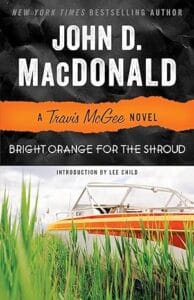
A famous movie star is being blackmailed with dirty pictures and she wants Travis to help get them back.
What I Liked
There isn’t much to like in this outing, except that Travis McGee is assigned a Girl Friday who helps him along with the investigation, so it’s not just him.
What I Didn’t Like
The blackmail scheme is pretty similar to part of the plot in Nightmare in Pink, and not once does McGee make a nod or a wink to having done this before. It’s almost as if the author took the subplot from Book 2 and turned it into a full-fledged plot for Book 4, all published in the same year. It’s very repetitive.
The Girl Friday is his love interest for the story, and reads like a repressed-woman-finally-finds-a-real-man romance fantasy written by a man. It has a few twists and turns, but the character isn’t very well-developed, despite a fantastic backstory.
Finally, there are hints in the story that a new psychopath is involved, who is very puritanical, and this leads nowhere, along with some other twists that read like a bad action film script.
And spoiler alert, there is a warning right at the beginning that plays out at the end, with McGee getting screwed, and yet all McGee has to say “boo” and the whole thing would fall apart. Instead, he goes off mad that he got screwed.
I played and tested. Played and tested. Played and tested. Then I made some decisions, followed by more playing and testing.
In the end, I realized that the overly manual way I was doing things before was biasing me away from doing anything now. And such was the bias, I was falsely interpreting it as it preventing me from finishing, aka the new standard for seeing whether I keep doing something as part of a larger project. I finally decided to add 7 variables as custom fields.
But first, an unrelated but annoying problem
To avoid going into too much technical detail, I have a problem with my website regarding memory load. I am running a slightly higher-quality personal site option, but I’m not running anything that is commercial quality. And that means that I often find myself hovering between 25 and 40 workable plugins. Right now, I have 31 which starts to slow things down on the admin / back-end when I’m editing.
The new approach has me putting in seven custom fields. What I wasn’t expecting was to get into my second book review and find there were already about a hundred OTHER variables/fields already there, many with redundancies and duplicate entries, and virtually none of it useful. Some of it was remnants from the two moves of BRs from site to sites. Other remnants were from previously used plugins that I tested at various points; they added custom data, and when I deleted the plugins, they left data behind. Some of that was accidental and poor design; others were intentional so that the data would still show properly even without the old plugin running. Except that I had later deleted that part of the post, so it wasn’t needed any longer. A couple were Review plugins, others were social media link managers.
I am anal-retentive, so of course I thought I would simply delete the other fields. Except there’s no easy way to mark them and delete a bunch; you have to delete them one by one. No problem. Click. Wait for refresh. Click. Wait for refresh. Click. Wait for refresh. Each time was taking maybe 5-7 seconds each. Times 100 remnant fields, and you start to see the boredom.
I went looking for a plugin to help me manage it all, but most were just replacements, not ones that would manage the existing fields. You can do it through manual editing of the databases, but I try not to mess with the database directly. I found nothing useful. Sooooo, I gave up. I went along my merry little way, decided I didn’t care about the huge list of fields, and just added my new ones.
Except adding each one also took 5-7 seconds to add and refresh. Sigh. The first BR had NO remnants, but 2 through 10 did. Between testing and playing, some editing, giving up and just adding, it took me almost 2 hours to do the first 10.
Then I was doing something else, and some wording popped into my head. I didn’t want to bulk edit custom fields, I wanted to bulk DELETE custom fields. A bit of googling around WordPress options later, and bam, I found a plugin called WP Bulk Delete. When you first run it, it looks really scary as there are a whole bunch of tabs to let you mass delete pages, posts, etc. I definitely did NOT want to do that!
However, on the first page, it provided options to run a “cleanup” on the website’s fields across all pages and posts. It would delete a lot of unused fields, particularly duplicates (yay!), and a few other things. I made a backup and ran the cleaner. A large number of extra entries were killed. I went back into the first 10 BRs again, and voila, almost all of the old data was gone. My new data was still there, along with about 15-25 other items. Generally, five are tied to some formatting, another five for old social media links, and then another 10+ related to an old review plugin. Except now, when I click on those to delete? It deletes it and refreshes in under a second. Totally manageable.
I’m back in business, with a much cleaner digital workspace.
Which fields did I create?
I can already sort on publication date / date of the review. All of the posts are already set to the review date, even some old ones. For example, I have some reviews that I wrote in 1998, but I never got around to putting them online until 2010 or so. When I published them, I set the date of the post all the way back to 1998 aka when I first wrote them.
Because of the messed up dates above, only the recent posts show up in numerical order. I had published all of my archives by #200 or so, but up until then, some of the things I went back and posted had higher BR #s. For example, a post I wrote in 1998 that I didn’t post until 2010 could have had a BR # of 00067 — the BR Number is the order in which I posted them online. It is part of the title of each BR post, but I added a field so I could sort them in numerical order.
I mentioned in a previous post that I can already sort all the posts in alphabetical order, because all of the BRs start with the title. Except for a small niggly detail. A title like “A Purple Place For Dying” or “The Staked Goat” would show up in A or T respectively. To get around that, I added a field for title sort order. I said in my previous post that I wasn’t going to worry about that, but it turned out to be easy peasy, lemon squeezy. It takes less than 10s to add, so I went ahead and included it.
In a similar vein, the author’s name is buried in the title of the post, and can’t be accessed easily. Yet I might want to sort by author’s last name, so added a simple field. I made a small tweak to the info in the field though…if I have Jeremiah Healy as the author of say three books, I don’t just put healyjeremiah in the field — I tack on the year of the publication (1984, 1986, 1984, etc.) so that when I sort by last name, it will get to Jeremiah in the “Hs” for Healy AND list them in ascending chronological order.
One thing that I didn’t have on the website previously was any way to sort the better books aka those that I gave a 5/5 to, for example. I added a field for rating and it will now list all the ones from 5 stars down to 1 star.
The year of publication appears in the title, but I couldn’t sort on it before. In practice, it is more about seeing the oldest stuff that I’ve reviewed, or the newly published material.
I added a field for genre but I confess that I may have done that wrong for the setup. I initially only wanted to differentiate between Fiction and Non-Fiction. I have another “sort” that is a bit more genre-related, but I do that separately. I have two tabs, one for fiction (main) and a shorter tab for non-fiction. Perhaps I didn’t mess it up so much as misname it. I did it in part because I save my books digitally in two different libraries based on fiction or non-fiction, in fact, and I was mostly replicating that approach.
For genres, though, it is more often for me about series within a genre. For example, I created a field for Series but when I actually build the page for series, I have a whole bunch of sub-lists that are generated based on the name of the series. So far, the sub lists are:
Standalone
Action
Jack Reacher
Criminal
Easy Rawlins
Keller
Forensics
Dr. Temperance Brennan aka Bones
Lawyer
Nina Reilly
Police
Dutchman Historical Mysteries
Inspector Regal
Private Eye
John Cuddy
Jeri Howard
Philip Marlowe
Jennifer Marsh
Sunny Randall
Sleuth
Travis McGee
Barbara Simons
Hannah Trevor
Spy
Amelia Pearce
Thriller
Nelson Demille (not sure if I coded this correctly)
Paranormal
The Mediator
1-800-Where-R-You / Missing
Star Trek
The Next Generation
Deep Space Nine
The New Frontier
Voyager
I’ve updated 40 or so book reviews to the new approach. Of the list, ten are ones that I COULD decide to expand and do something differently for genre. Decisions, decisions. It’s pretty easy to re-code ten if that’s what I want to do. And then all the various books would be separated by genre, even the non-fiction ones. Hmm…I’ll have to noodle on that one a bit more.
In the meantime, it all seems to work well so far. And with the majority of “extra” fields already cleaned up, it’s a much faster process now. Plus as I get more and more categories created, for the series/genre combo I mean, the faster the overall coding goes — if I code something new for Travis McGee for example, I don’t have to build the query into the list page; it’s already built and if I code a review as “travismcgee”, it auto-adds itself to that category.